Supplier Reports Are Hard to Verify
Not every supplier has a dedicated analyst, so loads and setups vary from report to report. And a bench test cannot reproduce everything a wheel meets on the road.
BUILT FOR CUSTOM FORGED WHEEL BRANDS
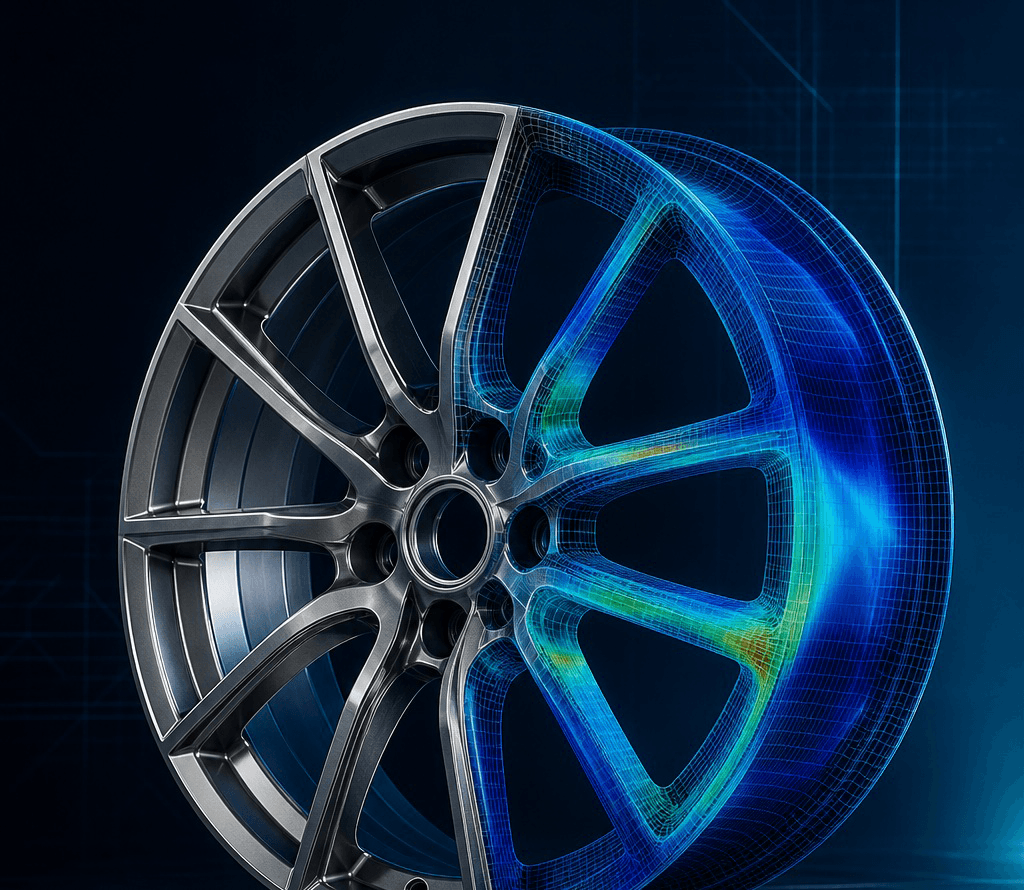
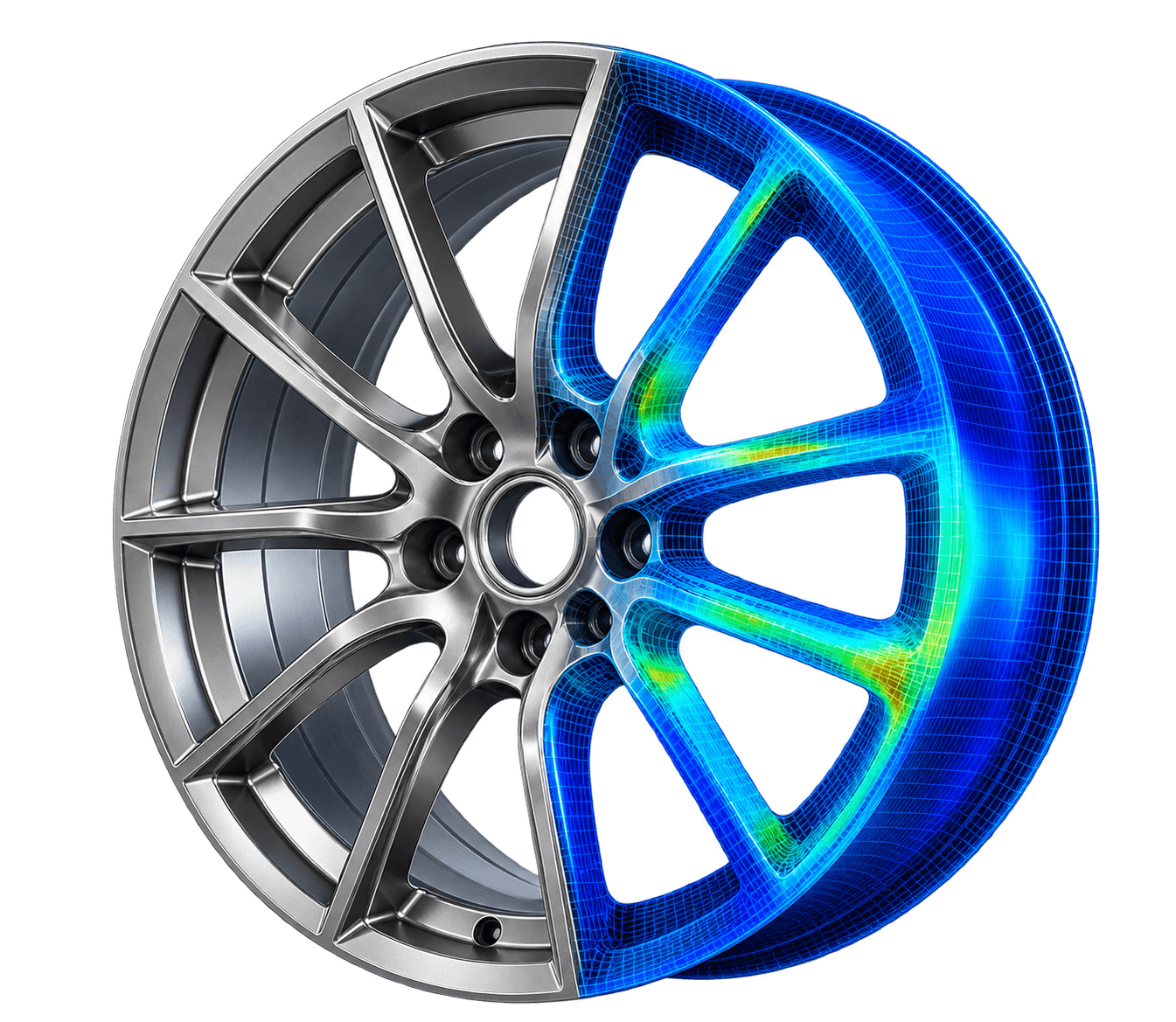
Every new design puts a forged blank, hours of machining and your reputation on the line. LoudGears shows where the stress concentrates in a typical 2–3 minutes, and how to improve it, so you can release with confidence. No CAD or CAE expertise needed.
01 / THE PROBLEM
Custom forged wheels combine striking styling, aggressive pocketing and bespoke offsets (ET/PCD), and moving a spoke profile by just 1 mm rewrites the stress load path. Today most brands rely on one of two options, and each has its limits:
Not every supplier has a dedicated analyst, so loads and setups vary from report to report. And a bench test cannot reproduce everything a wheel meets on the road.
General CAE licences (Ansys, Abaqus) cost $20K–$40K per seat a year, plus a specialist to run them. Each design change can wait days for its turn.
LoudGears bridges the gap: road-grade structural verification in the hands of wheel designers and brand owners, fast, standardized and validated against real failures.
02 / THE PROOF
Built and checked with our partner manufacturer: certified wheels, production tests, track testing and road failures.
Certified wheels from our partner manufacturer are the baseline, and each newer certified wheel has performed better than the one before.
Calibrated on wheels the partner manufacturer has actually produced and tested, not on simulation alone.
A large library of track cracks is compared A/B with LoudGears predictions, so the hotspots it flags are the ones that crack on track.
Known road failures are re-run without revealing where they cracked, and the predicted hotspots land on the fracture.
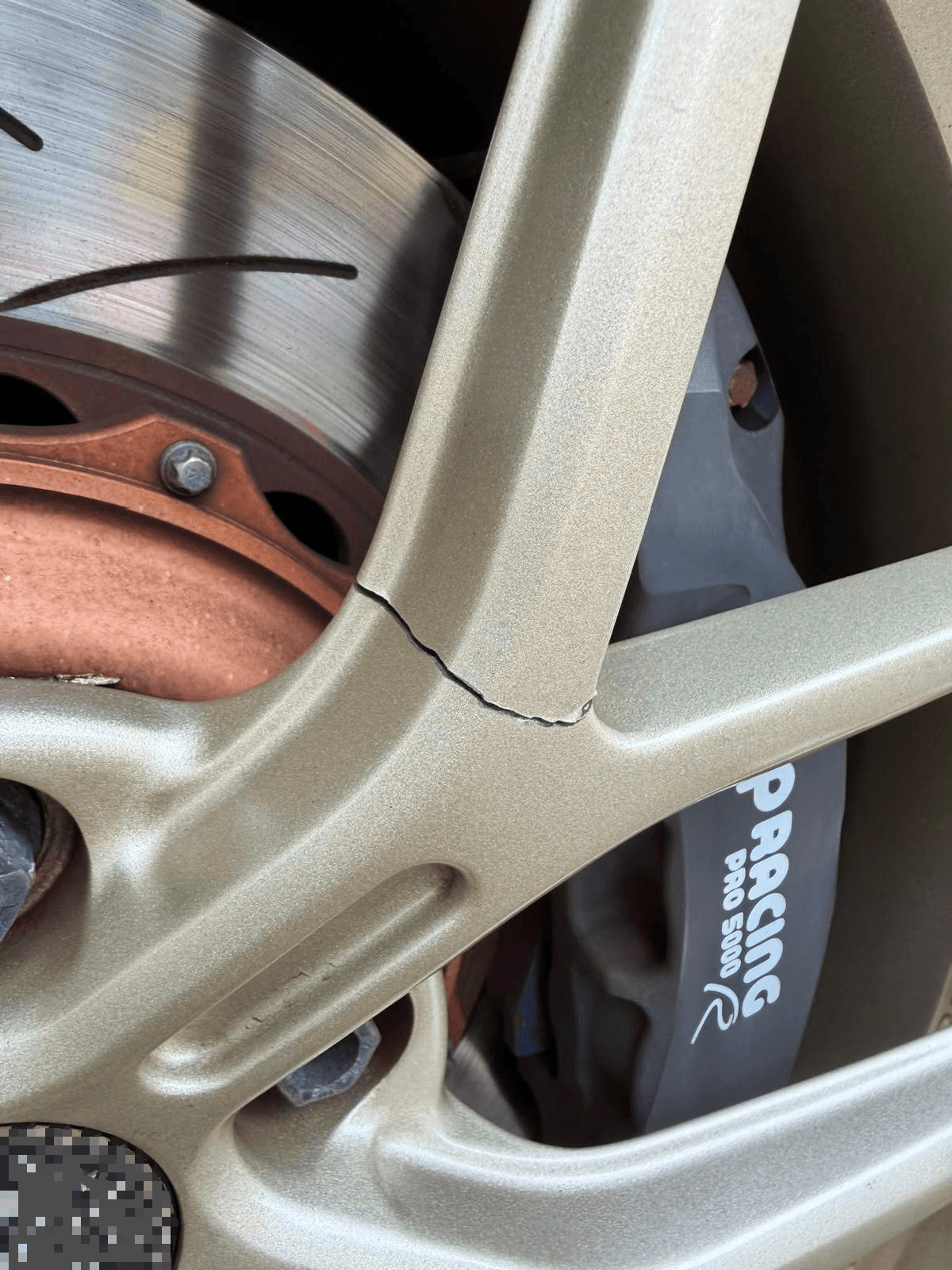
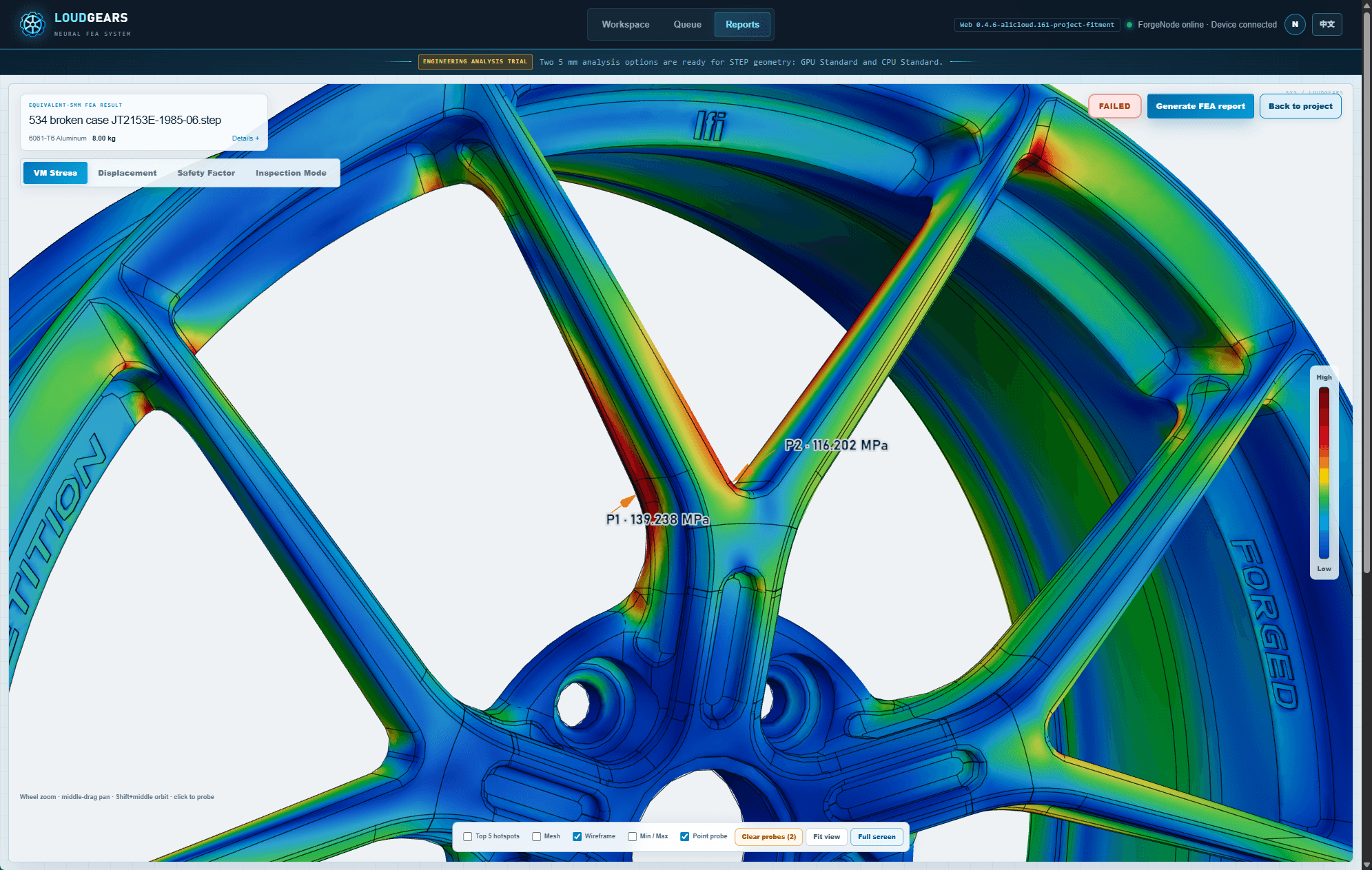
Observed failure: A fatigue crack propagated along the spoke transition fillet after aggressive driving.
LoudGears prediction: Placed the peak stress hotspot (139.2 MPa) at the exact crack origin.
Observed failure: Multi-point failure across thin-wall pocket transitions.
LoudGears prediction: Flagged both hazardous zones (131.2 and 148.1 MPa) during early design screening.
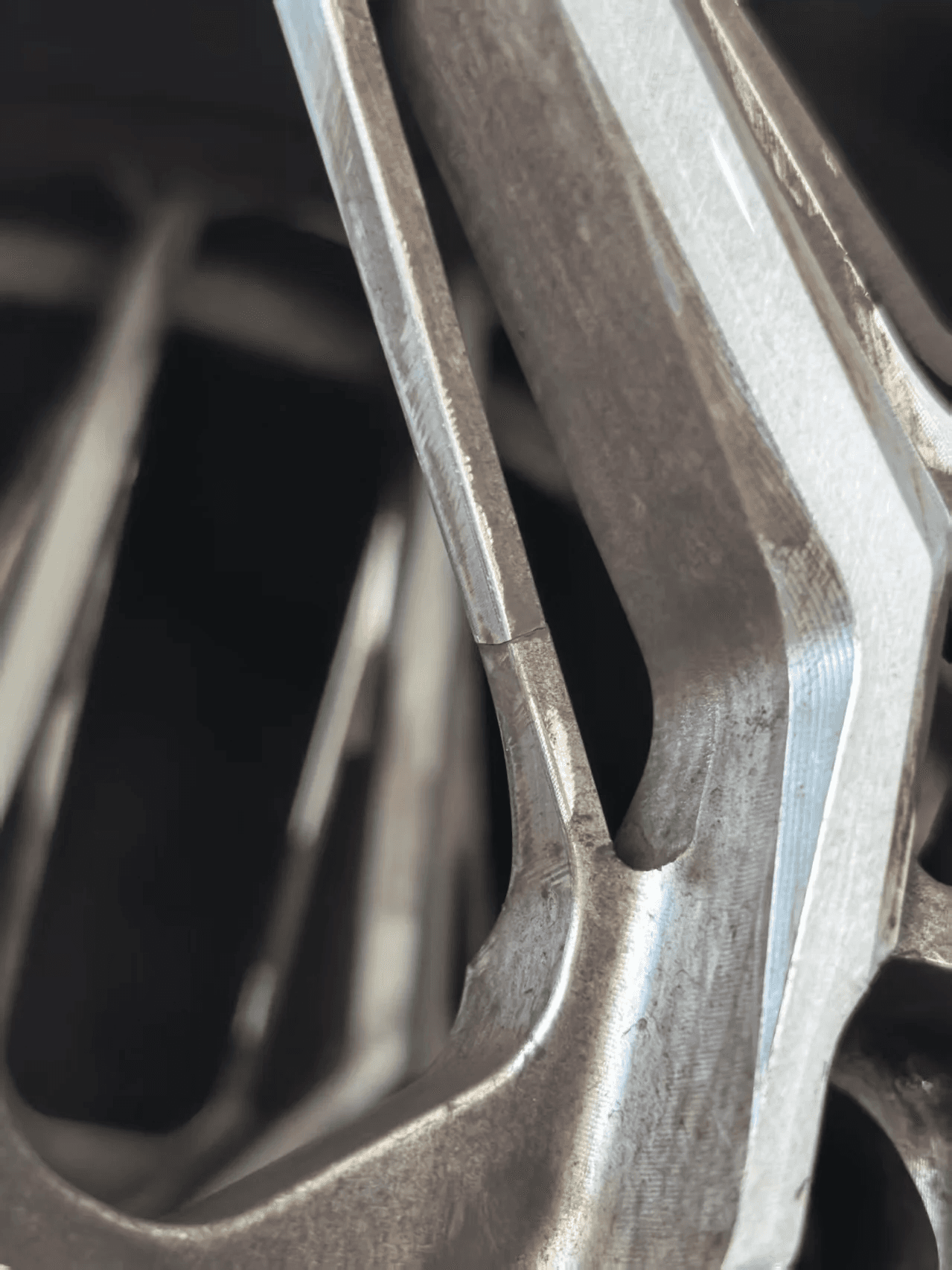
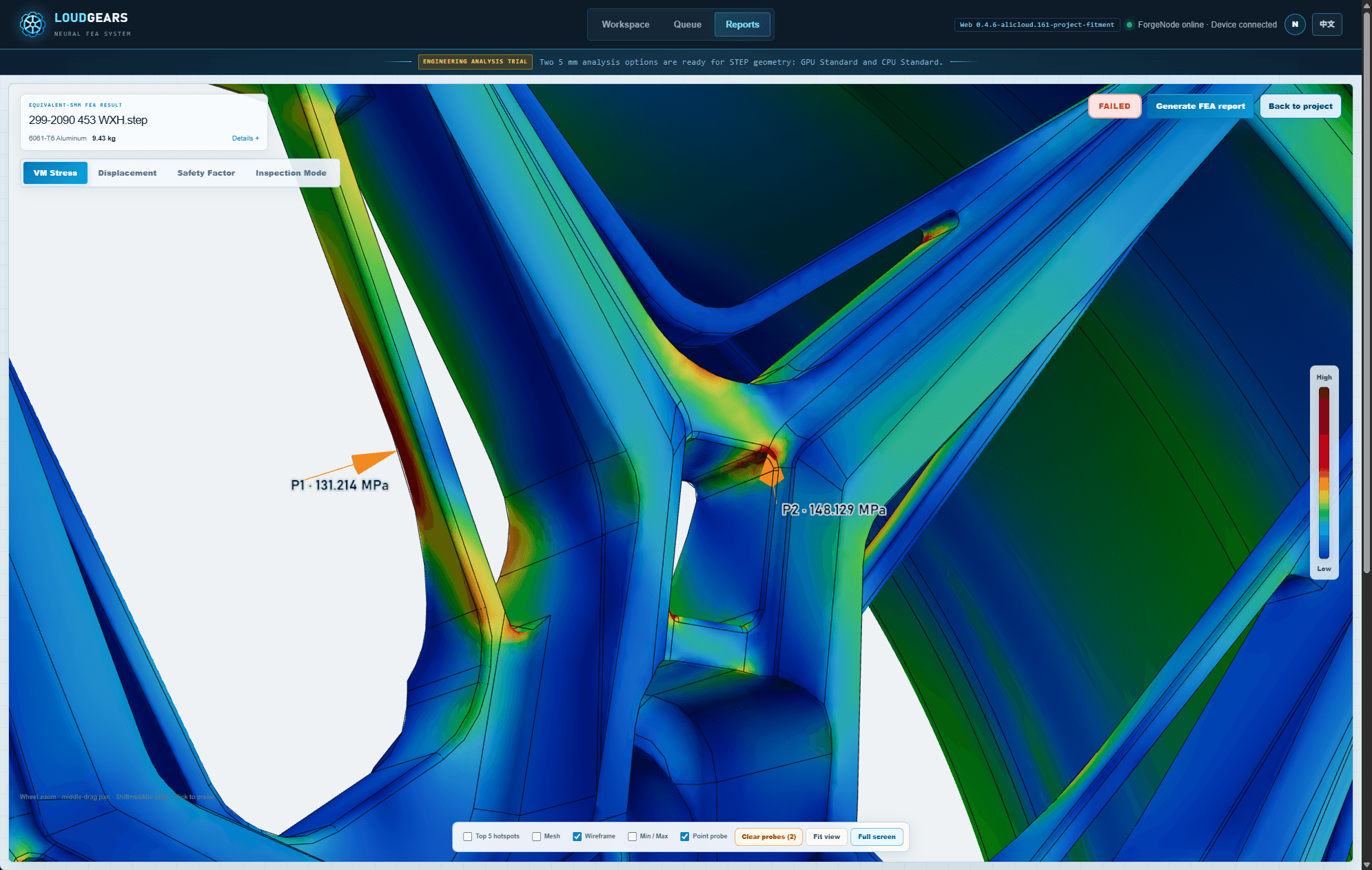
Both cases are earlier-generation wheels from our partner manufacturer. What they taught is built into today's designs and into LoudGears itself.
03 / HOW IT WORKS
No meshing and no load setup. If you can export CAD, you can run it.
STEP, plus IGES and Parasolid X_T in beta. LoudGears checks the topology, repairs common IGES export defects, rebuilds X_T exports as exact solids and builds adaptive 3D elements. A front and rear pair in one file runs as two wheels, with the rear at half price.
Choose the make, model and generation, then the wheel material: forged 6061-T6 aluminium or AZ80A-T6 magnesium. Review the vehicle load snapshot, with its radial load and wheel torque, before you run.
Full-field von Mises stress, 3D displacement, safety factors and high-risk hotspots, a clear pass or fail against the material's own safety-factor rule, and an engineering report ready in seconds.
Industry estimates put up to 80% of a typical CAE simulation into preparing the model: cleaning and repairing the CAD, then meshing it by hand. LoudGears does it automatically, fast and accurately, checks the quality of every mesh before it solves, and applies the vehicle loads. No meshing expertise needed.
A Graph Neural Operator trained on wheel structures predicts the displacement field first, so the solver starts close to the answer instead of from zero.
A preconditioned solver on your CPU, or your GPU when you have one, drives the true finite-element residual below the convergence threshold, and stresses come from the converged Tet10 field. The AI shortens the solve; it never replaces it.
Wheel-specific load templates, structural-region recognition, mesh rules and ready material cards for forged aluminium and magnesium replace the setup a universal CAE package has to ask you for.
04 / BEYOND PASS / FAIL
Every result comes with rule-based engineering advice read from the verified stress field, so your designer knows the next move.
For each region below the material's safety-factor target (3.0 for 6061-T6 aluminium, 2.5 for AZ80A-T6 magnesium), LoudGears names where it is and suggests a sized fix: a larger fillet radius, more spoke depth or width, or a locally thicker flange, bead seat or barrel wall. Show in 3D jumps to the spot, and the report carries one revision page per region.
When a design passes, LoudGears checks every region's margin and shows where weight can come out: pocket the PCD back pad, thin the barrel and flanges, slim the spokes. Every suggestion keeps the region at or above that target, with savings computed for the material's density, and the weight-reduction PDF lists each change with its estimated saving.
Advice never changes the verdict. Check every change with an engineer and a new run.
05 / RIGOROUS ACCURACY
Speed means nothing if the physics are compromised. LoudGears is built on a hybrid architecture that combines Graph Neural Operators with a fully differentiable Tet10 finite-element layer, enforcing strict continuum-mechanics conservation.
Same wheel, same material, same loads: it matches mainstream commercial CAE to within 1% at the peak, and finds the same hotspot.
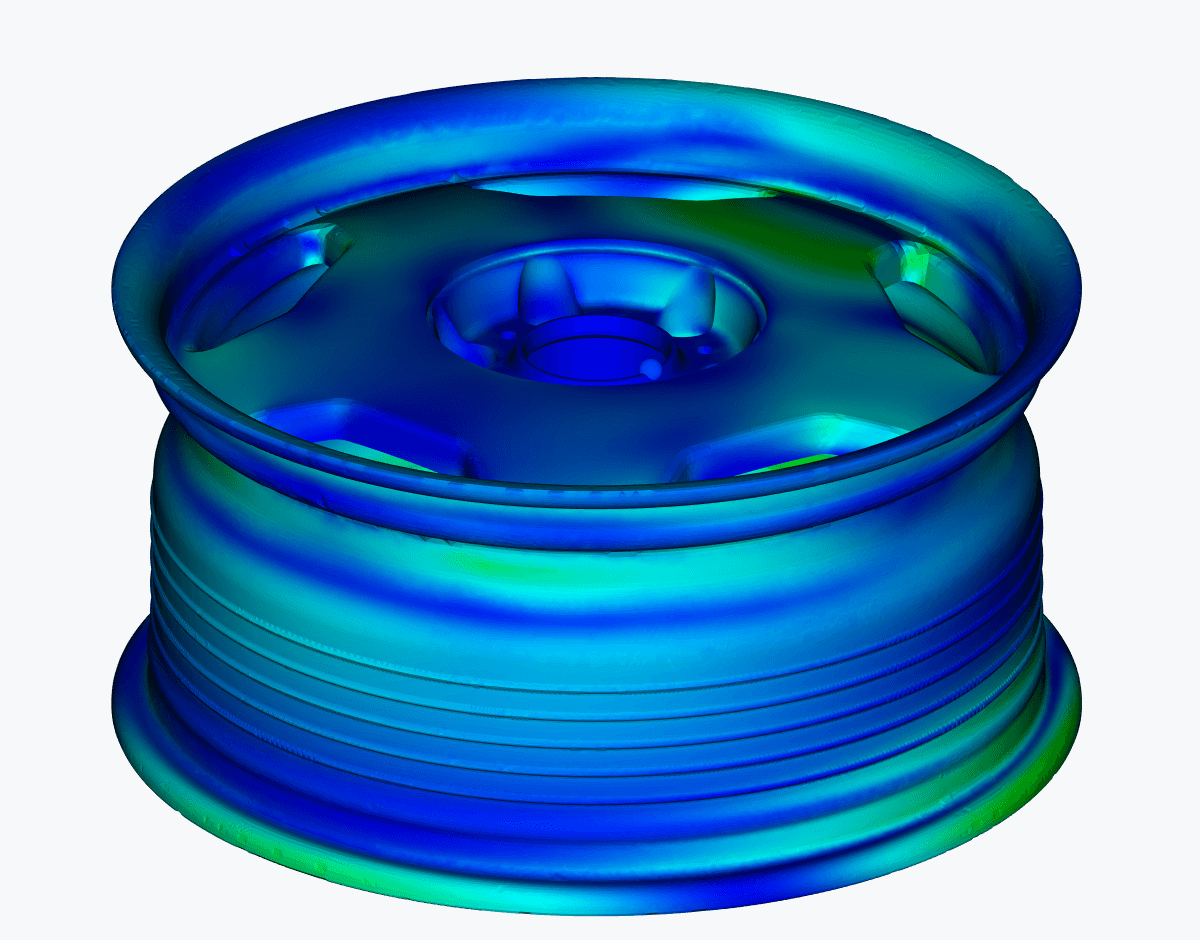
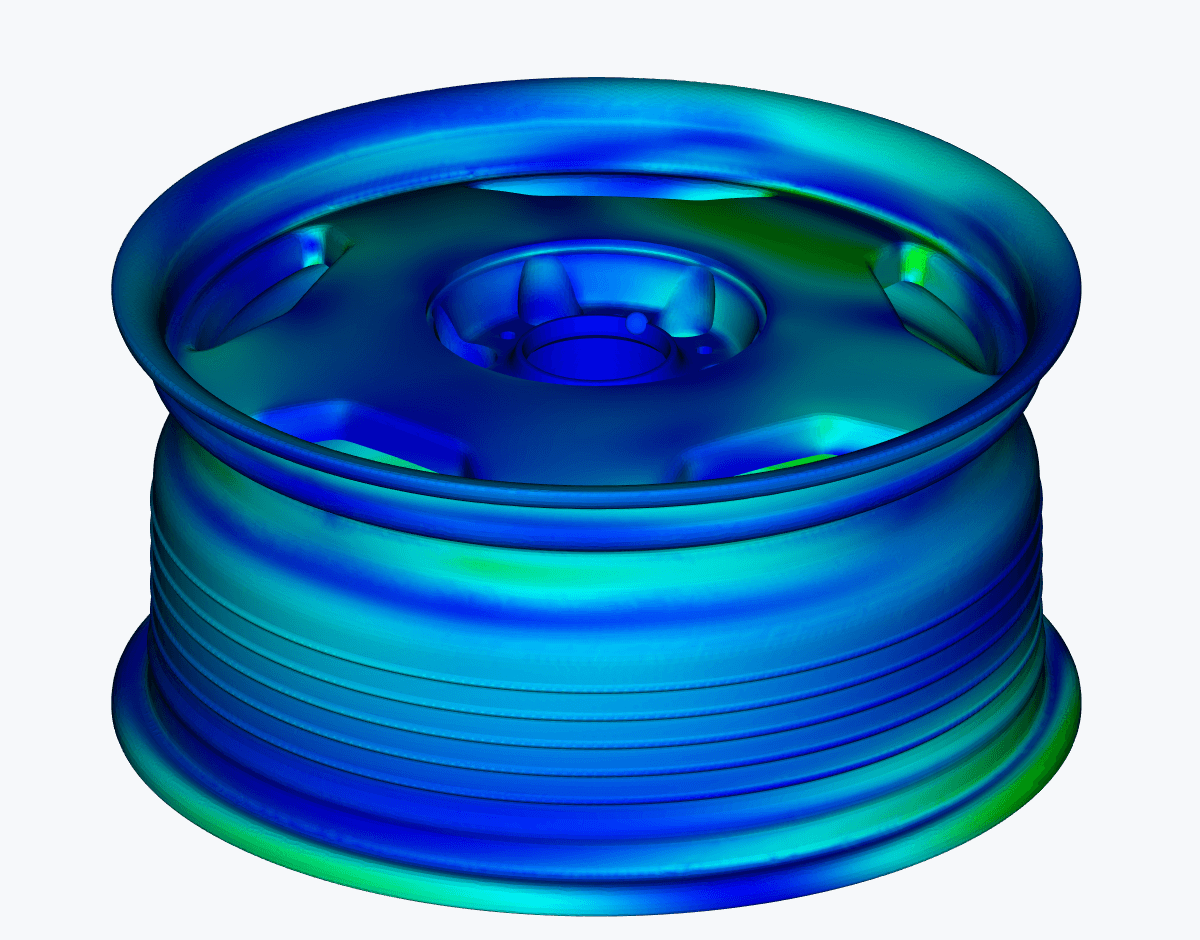
| Benchmark | Mainstream Commercial CAE | LoudGears Neural FEA | Difference |
|---|---|---|---|
| Peak Stress | 93.035 MPa | 93.377 MPa | <1% Difference |
| Hotspot Location | Spoke root transition | Spoke root transition | Same Spot |
| Time to Result | 45–90+ Minutes (estimate) | 2–3 Minutes (typical) | 15x–45x Faster |
Same wheel geometry, 6061-T6 aluminium and multi-direction test loads. Traditional CAE time is an estimate for an experienced analyst, covering cleanup, meshing, setup and solve, and is often hours. LoudGears time is typical for a STEP wheel of moderate complexity on a supported GPU. Full details in the white paper.
06 / YOUR DESIGNS STAY YOURS
Your designs are your most valuable asset, and they stay under your control.
Meshing and solving run on your own Windows PC, on its CPU, with an RTX graphics card as optional acceleration.
Design files stay on your PC. Only your account, project details and results use our cloud.
Beta places are free: a 14-day trial, and Open Beta for wheel businesses.
No server, no cluster, no CAE workstation budget. An NVIDIA GPU with CUDA is optional acceleration, not a requirement: on the CPU alone, an ordinary 8-core, 16 GB office PC or laptop solves a typical wheel in minutes.
07 / COMPARISON
| Comparison | Supplier "FEA" | In-House CAE | CAE Consultants | LoudGears Platform |
|---|---|---|---|---|
| Cost | Bundled into the quote, hard to verify | $100,000+ a year (licences + engineer) | $500–$2,000 per run, more for each revision | Free during the beta |
| Turnaround | 2–4 days of back-and-forth | Days per revision, waiting for the analyst | 3–7 business days | 2–3 minutes typical, on demand 24/7 |
| Load Realism | Simplified static bench check | Standard idealized loads | Generic setups, not your vehicle | Real-road dynamic loads for the target vehicle |
| Validation | Rarely checked against real failures | Dependent on analyst experience | Depends on the consultant | Calibrated on TÜV wheels, track cracks and road fractures |
| Design Advice | Usually pass/fail only | Depends on the analyst | Extra fee per revision | Where to add material and where to save weight, with every result |
| Who Runs It | The supplier's team | A dedicated FEA specialist | Outside analysts | Your designer: pick the vehicle and run |
| IP Protection | CAD shared in vendor chats | Stays internal, at high overhead | Files sent outside the company | Source CAD (STEP / IGES / X_T) stays on your PC |
08 / FAQ
LoudGears is neural FEA (finite-element analysis) software for custom forged wheel brands. You load a wheel CAD file and choose the target vehicle, and it shows full-field stress, displacement and safety factor, the high-risk hotspots, a clear pass or fail, and advice on where to add material and where to save weight.
A typical STEP wheel of moderate complexity takes 2–3 minutes on a supported GPU, from adding it to the queue to the verified result. The CPU route takes longer. Traditional CAE is estimated at 45–90+ minutes for an experienced analyst, covering cleanup, meshing, setup and solve.
No. Cleanup, repair and meshing are automatic, and the loads come from the vehicle you choose by make, model and generation. If you can export the wheel from CAD, you can run it.
No. Meshing and solving run on your own Windows PC. Only your account, project details and a signed numerical summary of each result use the LoudGears cloud.
Windows 11 (64-bit), an 8-core processor and 16 GB of RAM. A graphics card is optional: an NVIDIA RTX 3060 or better with CUDA only makes runs faster.
STEP, plus IGES and Parasolid X_T in beta (if an IGES or X_T file fails, export STEP and run it again), one file of up to 50 MB per analysis. Wheels can be analysed in forged 6061-T6 aluminium (minimum safety factor 3.0) or AZ80A-T6 magnesium (minimum 2.5, 3.0 recommended).
On a benchmark wheel with the same geometry, material and loads, the peak stress was within 1% of mainstream commercial CAE (93.377 vs 93.035 MPa), at the same hotspot. The model is calibrated with a partner manufacturer on TÜV-certified wheels, production tests, track cracks and road fractures replayed blind. The AI only warm-starts the solve; a finite-element solver always finishes it.
No. LoudGears is a design check for the applied load case, not a certification or a fatigue-life figure. Use it to find and fix weak points before machining; physical tests still apply to the exact wheel specification that was tested.
LoudGears is free during the beta: start a 14-day free trial, or apply for Open Beta access if you are a wheel business. A run that stops without a verified result does not use a credit.
09 / Blog
Brands are always asked to make the next wheel lighter. Why wheel mass matters, where a kilogram is worth most, and how to remove it without eating the margin.
Forged wheels that crack in service usually crack at a spoke root, fork or bridge. Two road failures, replayed blind in FEA, show why and what designers can change.
A wheel FEA report is only useful if you know what each number says about the design. This guide walks through the fields, a worked example and how to act on them.
Free beta places are open for forged wheel brands. Bring a past design, or a prototype you would like a second opinion on, and let LoudGears run a blind verification against your own historical data in a typical 2–3 minutes.
Partnership, pricing or evaluation questions? Email info@loudgears.com.